Resolve 'Not able to start' Error
If you get the following error in your Turnkey application:
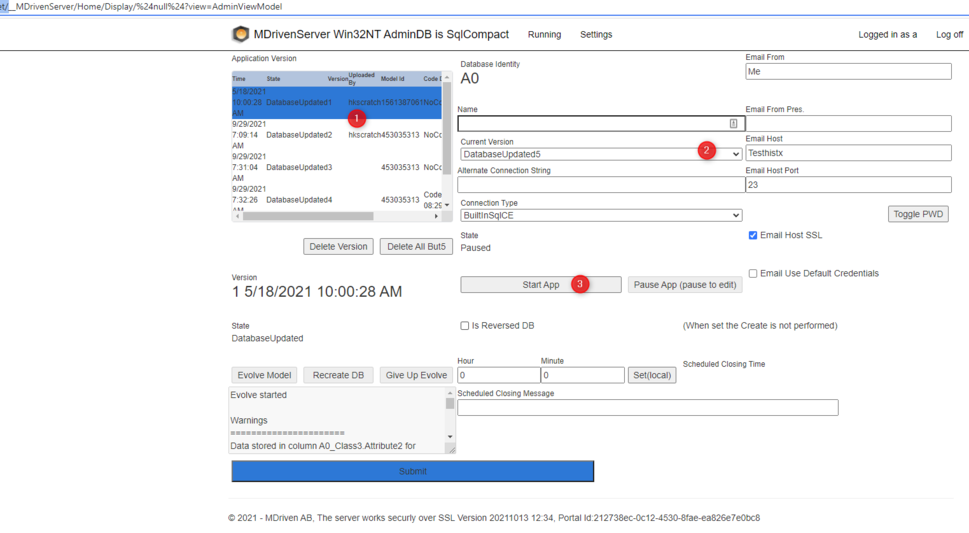
Not able to start, check the CurrentVersion - is it set? Check that the app is Started and not Paused. Check that the Version is in DatabaseUpdated state
This is due to one of these things:
- You have not yet uploaded a model from the MDriven Designer, and thus the list of models is empty.
- You have no CurrentVersion set, so the MDrivenServer does not have a model to work with.
- You have your app in Paused mode - it must be started to allow normal work.